
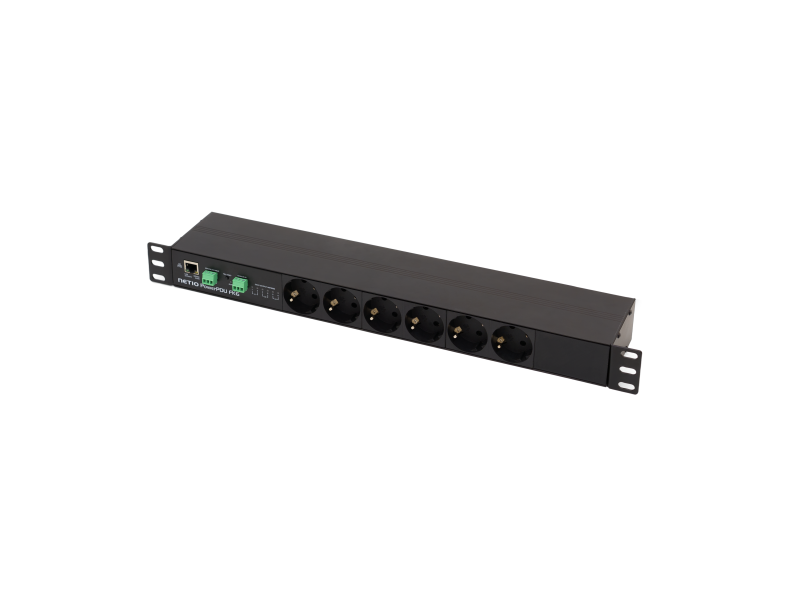
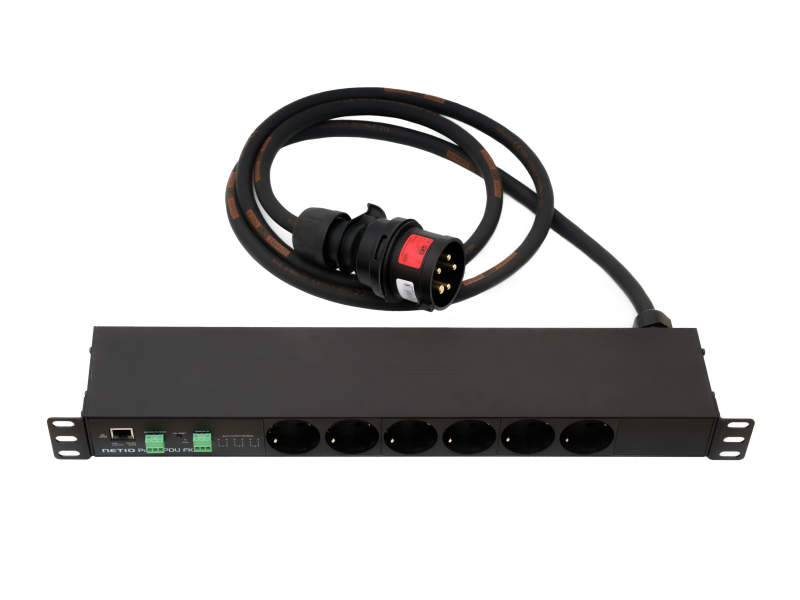
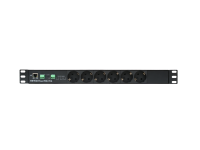
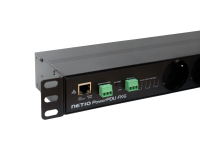
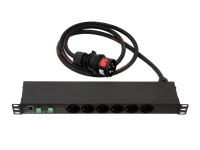
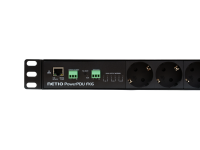
The NETIO PowerPDU FK6 is a smart three-phase power distribution unit designed for robust installation requiring high power control in AV (as LED WALLs power control), IT, and industrial automation environments.
The PowerPDU FK6 is power supply by 3x16A 400V (CEE 5-pole connector/ IEC 60309 RED 400V (3P+N+E 6h)).
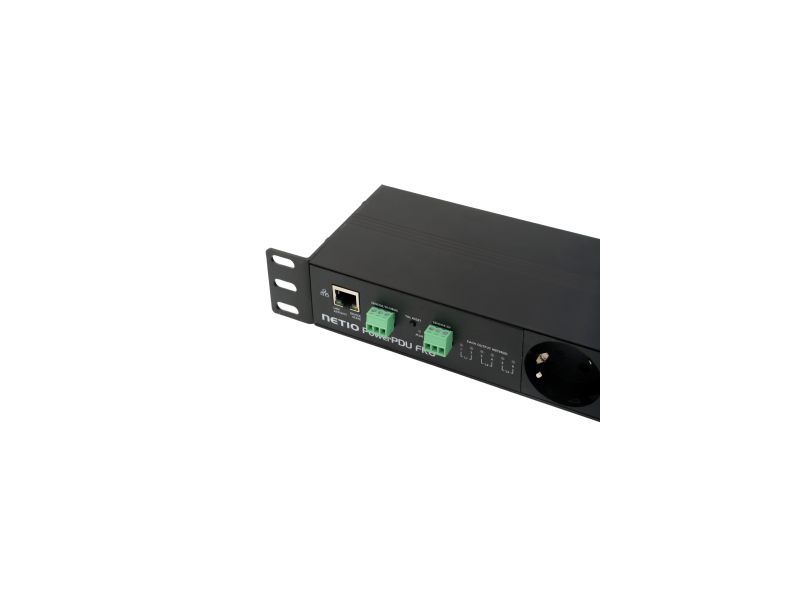
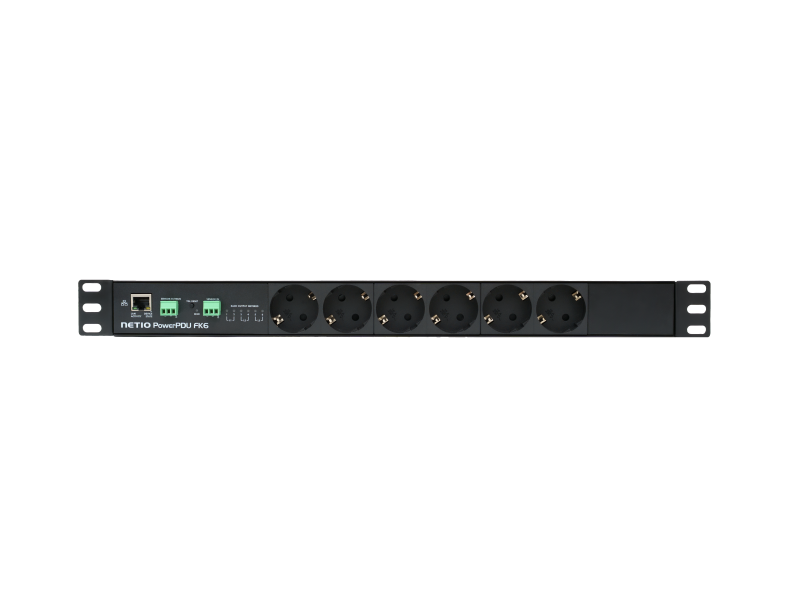
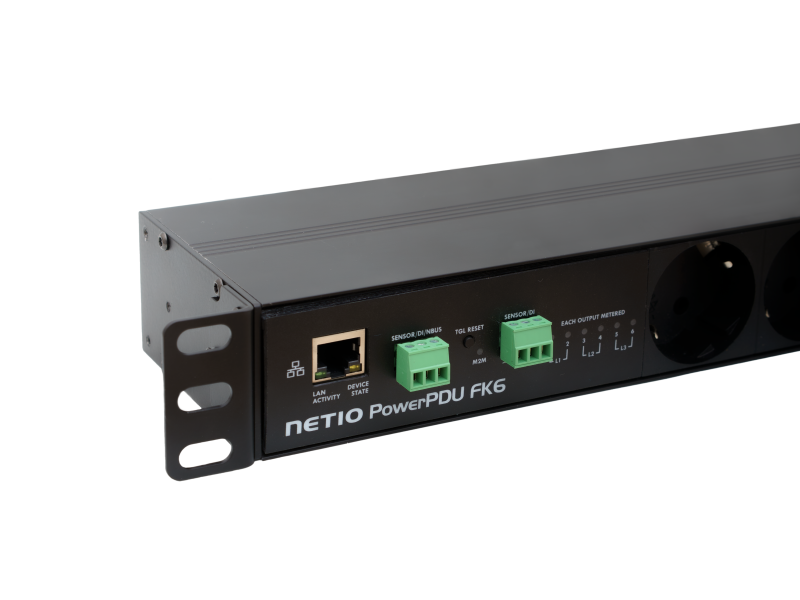
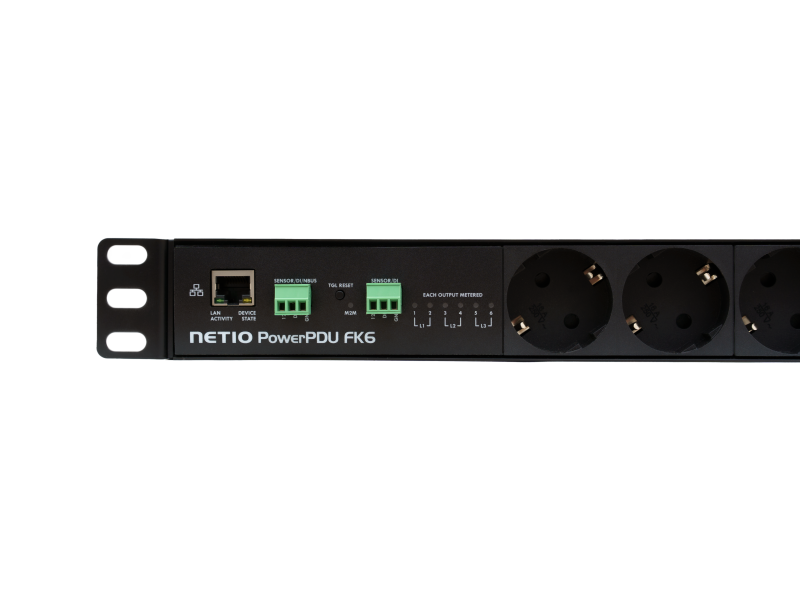
Device provides six independent, metered, and switchable power outputs (6 × 230 V- Type F-Schuko) divided into pairs between 3 phases, each pair rated for 16 A.
The device is also equipped with two Digital Inputs (DI), those can be used for direct connection to a NETIO sensors, NETIO nBus (device daisy-chaining feature), or an S0 counter. Additionally, the PowerPDU VK6 supports both LAN connectivity and integrates all the benefits of the NETIO Toolbox.
Thanks to the Open API, integration with third-party systems using various protocols (JSON, Modbus/TCP, SNMP, MQTT-flex, Telnet, ...) is easy.
With the NETIO Cloud service, the outputs can be controlled from anywhere. The NETIO Cloud service, provided for a fee, uses SSL security and servers in Europe.
Typical applications
- LED WALLs installation (Power OFF/ ON/ RESTART)
- LED WALLs consumtion metering
- AV - 3 phase instalation in broadcasting
- IT – high power rack power control
- Electricity consumption monitoring for machines in the industry
- Controlling the outputs using Open API (JSON, Modbus/TCP, SNMP, MQTT-flex, Telnet, ...)
- Integration with various third-party programs and applications.
AV drivers for integration
NETIO products can be used together with plenty 3rd party software / hardware or cloud services.
- Atlona
- AURORA
- BrightSign media player (BrightAuthor]
- Crestron (SIMPL blocks)
- Control4
- Cue
- ELAN
- Elgato Stream Deck
- PIXILAB Blocks
- Q-SYS
- RTI
- SKAARHOJ
- Utelogy
- and many more
Documents to download
 Video Flyer
|
 |
|
Remote restarting
Switch On / Off or Restart (short Off) each output using these methods:
- From the device website
- From the NETIO Cloud (web service).
- From NETIO Mobile 2 (Mobile App) over LAN or NETIO Cloud (web service)
- By external mechanical switch (dry contact) connected to DI input.
- Using build in Week-Scheduler function you can define several On/Off intervals per each output.
- With build in PING WatchDog function, you can restart any LAN device when not responding to PINGs from NETIO PDU (Device frozen)
- With build in Power consumption WatchDog function, you can restart any device powered from metered NETIO PDU output. Device frozen / sleeping / IDLE mode is detected by power consumption drop for several time.
- Using AV drivers you can control Outputs from many Audio Video SW (Q-SYS, Crestron, Control4, Kramer, BrightSign, …)
- There are plenty Open APIs (protocols) to control outputs / meter power consumption.
- For example: JSON or XML over HTTP, SNMP v1 or v3, Modbus/TCP, MQTT, URL-API and others.
- Using Windows executable PyNetio swtich / Toggle any NETIO output(s) from the Windows Desktop.
- More: AN37 Outputs sequence started by Windows desktop icon (.bat file)
Power Measurement

NETIO PowerPDU FK6 measures electrical parameters for all 6 outputs individually. Measured values are displayed in the web administration interface and are accessible via M2M protocols. PowerPDU 8KF measures with accuracy better than 1% in the entire operating temperature range.
- 6x Current [A]
- 6x Load [W]
- 6x Energy [Wh] – user-resettable counter
- 6x Energy Out [Wh]
- 6x Energy In [Wh]
- 6x TPF (True Power Factor)
- 6x Reverse Energy [Wh]
- 6x Phase shift [-180...180°]
>> More about electrical metering
 DI (Digital Input)
Every single DI is realized as 3pin terminal block. There is 12V for powering external devices like smoke or movement detectors.
There is also 4bytes pulse counter on the DI (compatible with S0 pulses). 4 bytes counter can be used for reading consumption from an external meter. You can connect there any meter with pulse output (water meter, gas meter, 3phase electricity meter, …)
PowerPDU FK6 offers two digital inputs (DI), which can be used for direct connection to
- NETIO T1 sensor – dedicated NETIO temperature sensor
- NETIO TH1 sensor – dedicated NETIO temperature & humidity sensor
- NETIO nBus – unique feature allowing daisy chaining of NETIO devices
- Mechanical button – as dry contact to read out OPEN/ CLOSE contact
- External electricity or water meters (pulse output).- as S0 pulse counter
>> More about DI (Digital Input)
External sensors
One external sensor can be connected to each DI (Digital Input). Only original NETIO sensors are supported.
- External temperature sensor NETIO T1 (IP67 probe, 3m cable, -20℃ to +80 ℃)
Output switching based on DI state (sensor value).
With using the CR (Condition & Rules) can be local condition executed in the PDU to control one or more outputs based on DI current state or measured sensor value. Check the Condition & Rules in Glossary:.
>> More about DI (Digital Input)

HTTPs
PowerPDU FK6 device support safety communication via HTTPs by using TLS - Transport Level Security Protocol v1.2. User is able to upload customer Server Key and Server Certificate. NETIO devices support Keys/ Certificates using both cryptography methods - Elliptic-curve (ECC) & RSA.
AV drivers

We can offer you drivers (integrated device support) for these AV (Audio Video) platforms:
|
|
|
These integrations / drivers can be free or paid. It's individual..
Drivers not tested by NETIO products, but provided by community are listed on wiki.netio-products.com
>> More about Integration partners (3rd party)
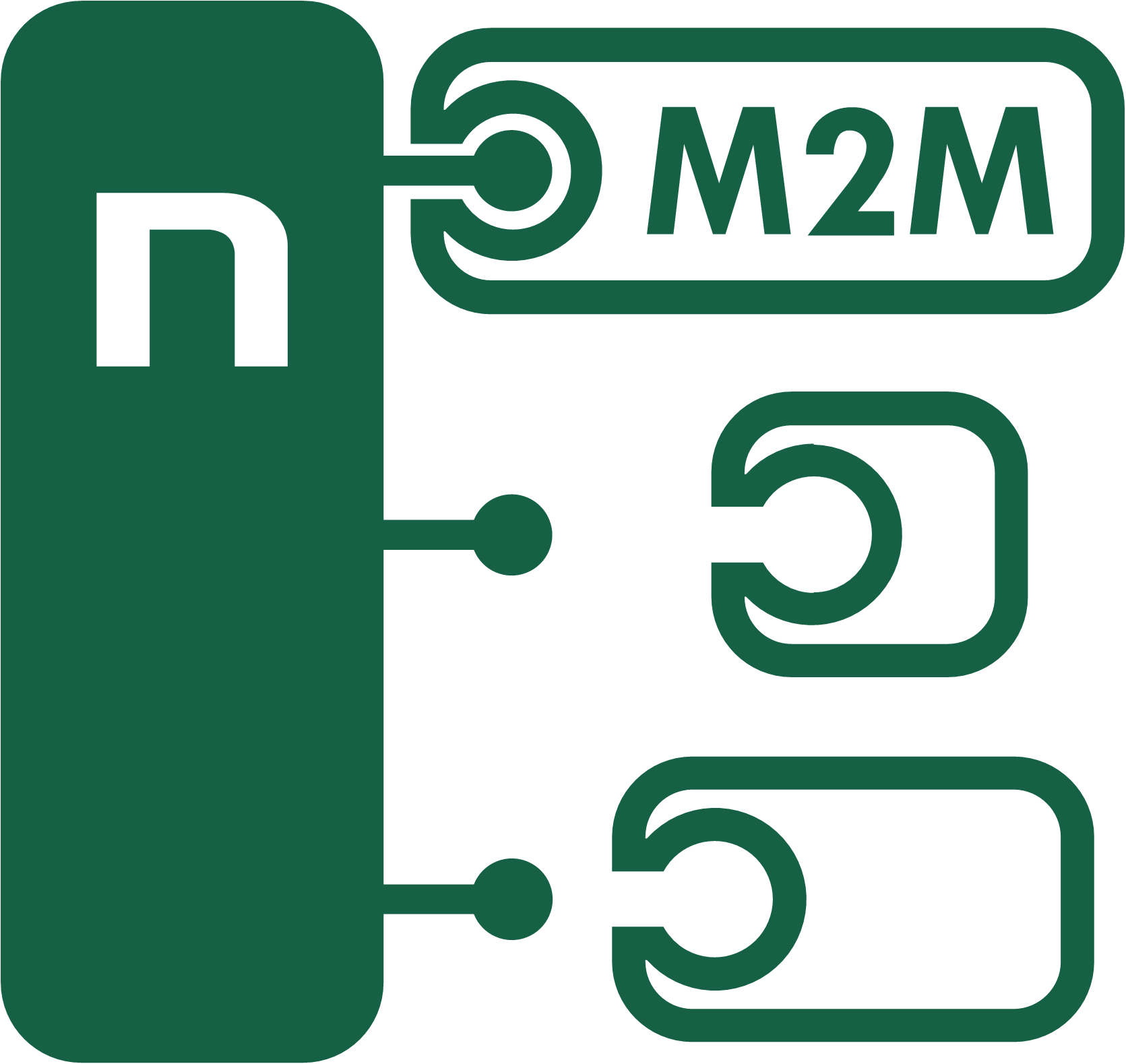
Open API (M2M protocols)
- SNMP v1 AN11, AN41
- SNMP v3
- MQTT-flex AN40
- Telnet AN10
- Modbus/TCP AN27, AN22, AN37
- JSON over HTTP AN21, AN30, AN42
- XML over HTTP AN20, AN31
- URL API (http get) AN19, AN29
- HTTP(s) Push JSON
- HTTP(s) Push XML
Regardless of the Open API used, the PowerPDU VK6 can always be controlled from its web interface and at the same time from the NETIO Cloud service. The customer can use the NETIO Cloud service and one Open API protocol at the same time.
- ANxx – Application Notes
- NETIO Wiki (for programmers): Wiki.netio-products.com
- Download the NETIO Open API description: Download page
NETIO TOOLBOX

- Manuel/ Remote/ Autonomous Restarting
- PowerUp Sequence
- Industrial feature as ZCS (Zero Currents Switching)
- Time Based Power Switching (Scheduler)
- Grouping of Device & Outputs
- Daisy Chaining of Multiple PDUs (nBUS)
- Thermostat Feature – Temperature Based Switching
- Connection Error Alert

ZCS (Zero Current Switching)
An important feature of NETIO PowerPDU FK6 is ZCS (Zero Current Switching). ZCS controls the exact time when the mechanical relay contacts close and open. The relay contacts switch the output on or off when the current crosses the zero level.
- In the long run, ZCS support reduces the product failure rate due to internal relay damage.
- Since the relay switches when the current waveform crosses the zero level, negative effects of inrush current are significantly reduced.
- The ZCS and PowerUp delay functions reduce the chance of circuit breakers tripping when power is restored after an outage.
- ZCS extends the lifetime of connected equipment; especially in case of frequent on/off switching of devices that are not designed for that (such as switching power supplies).
 Scheduler (timed switching of individual outlets)
- Each output can have its own schedule
- When a schedule is active, outputs can still be controlled with NETIO Cloud, the web interface and Open API
- Scheduler functionality can be enabled/disabled (not edited) for each output from the NETIO Mobile 2 app.
- Scheduler does not need an internet connection. However, a time source is needed – provided over the internet or, for example, by a local ADSL / WiFi router.
- For special usage the Scheduler can be combined with PAB (Power Analyze Blocks):
- Switching time is based on current sunrise/sunset based on your location
- Whatever happend, defined output can be switched off on defined time (midnight for example).
- Ask for more..
>> More information about the Scheduler
Condition & Rules

The NETIO Conditions (PAB & WatchDog) & Rules are preprogrammed in the device. It's great tool for special usage and applications.
Customer activate these functions in script based configuration. Using Condition & Rules it is possible to define reaction of the output(s) to the switching the button (DI input) or the reaction of defined output to the (non) response of PING WatchDog. NETIO Condition & Rules are supported by all NETIO devices manufactured after 2020 with the exception of PowerPDU 4C (supports LUA scripts).
Detailed description you can find on the wiki.netio-products.com, check the "NETIO Conditions & Rules: Local device scripting" part.
 Power-Up state
- On
- Off
- LAST state restores the last state before the power was disconnected
Delay sequence when switching outputs on (PowerUp delay)
After a power outage, some electrical equipment can be switched on with a delay to avoid overloading and tripping circuit breakers. With the PowerPDU 8KB, use these parameters: “Power-Up state” = ON / LAST, and “Output PowerUp interval” = power-up delay before switching that particular output on.
WatchDog Ping + Power


PowerPDU 8KF is equipped with WatchDog PING (IP WatchDog) and WatchDog Power consumption (PAB).
- WatchDog Ping continuously monitors whether a given process or a part of a system work as they should. If not, the WatchDog restarts the process. Can be used for all 8 outputs.
- WatchDog Power is "Condition" & "Action" (PAB - Power Analysis Block & Rules) based autonomous system. It continuously monitors current (energy) of monitored device powered from any metered power output of NETIO PDU device.
>> Glossary: WatchDog PING (IP WatchDog)
>> Glossary: WatchDog - Power consumption (PAB)
 NETIO Cloud
- All devices produced by the NETIO products company can be connected to NETIO Cloud.
- With every added device you receive free "Welcome Credit"
- Remote PDU output control (from NETIO Mobile App or NETIO Cloud service website)
- Multi-user feature for sharing devices in one company account
- The User Rights (roles) can be defined for access control
- PDU Connection Alert feature sends email notifications for PDU disconnections (connection or power failure).
- Grouping and sub-group structure of PDUs (folders structure)
- NETIO Mobile 2 App (Apple / Android) with user rights management
- Open API (MQTT) to the company account of NETIO Cloud
- The Historical Power Measurement Data can be downloaded
- Remote firmware upgrade
- 2 Factor Authentication
- NETIO Cloud can be used in parallel with most of another Open API protocols.
- Communication of PDU with the cloud service is secured (port 8883 - MQTTs - TLS).
The NETIO Cloud service is SaaS (online service). On-premise version of the cloud service is available for projects.
 Mobile App
- LAN: NETIO Mobile 2 can control all outputs of devices within local LAN (WiFi).
- Cloud: User account on the NETIO Cloud service can be connected to the mobile app.
- Control individual power outputs – switch ON, switch OFF, RESET
- Read power consumption data (A, W, Wh), if this one output (device) supports energy metering
 Activate / deactivate the week Scheduler function per each output
- Sorting of outputs within groups (by function or location)
- Output grouping – default group per one device can be changed individualy
- Group control - Switch the whole group of outputs On / Off
- Group control - Activate / deactivate the week Scheduler function for each output in whole group
- Change output / device name (visible in the mobile application only)
- Add multiple devices to the mobile app.
- LAN discover: Search your LAN/Wifi network for NETIO devices.
